E-commerce funnel analysis
Tracking where — and why — online shoppers drop off. A Databricks Lakehouse pipeline from raw clickstream to an AI/BI dashboard and a Genie space a shop owner can actually use.
Every online store loses customers between the first click and the final payment. The question that matters is where they leave, and why. This project answers both for a fictional shop, using a synthetic clickstream of 50,000 shopping sessions.
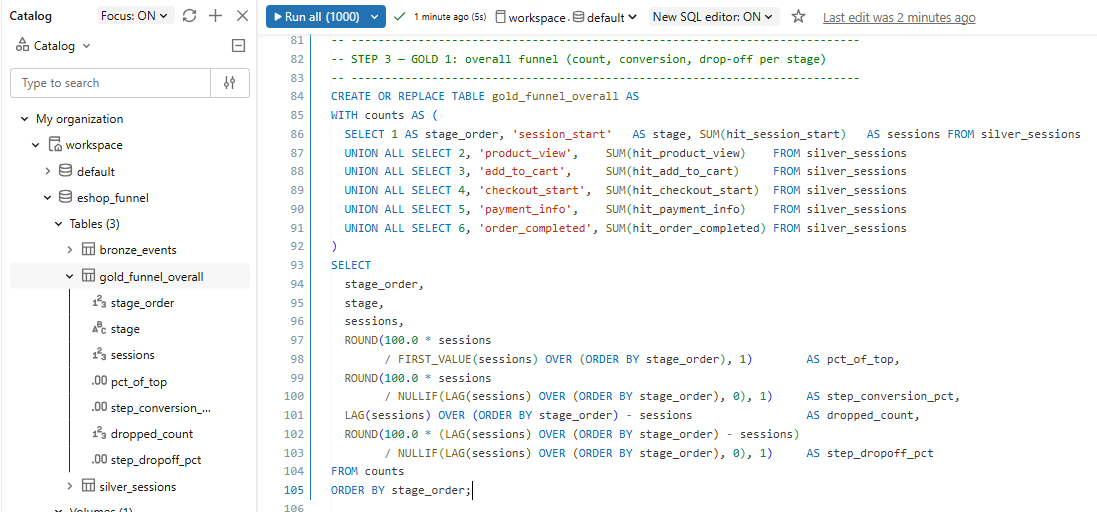
The pipeline follows the Medallion architecture — Bronze → Silver → Gold — the same layered approach used in production data teams. The data is 100% synthetic, designed with realistic friction: shipping costs, payment declines, comparison shopping.
The funnel
| Stage | What it means |
|---|---|
| 1 · Session start | Visitor lands on the site |
| 2 · Product view | Views at least one product |
| 3 · Add to cart | Adds an item to the cart |
| 4 · Checkout start | Begins the checkout process |
| 5 · Payment info | Enters payment details |
| 6 · Order completed | Purchase confirmed |
Bronze — raw data in
A schema holds the tables; a Unity Catalog Volume holds the CSV before it becomes a table. Bronze reads the file with read_files(), casting each column explicitly. Nothing is cleaned yet — one row per event. A shopper who reaches add-to-cart produces three rows; flattening that is Silver’s job.
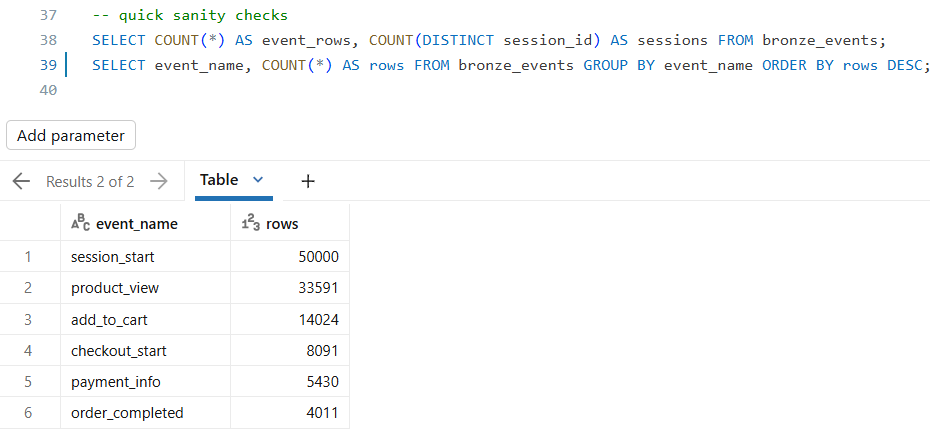
Event counts per stage — the funnel is visible even in the raw data.
115,147 event rows across 50,000 sessions, narrowing to 4,011 completed orders.
Silver — one row per session
Silver groups every event by session_id and collapses it into a single tidy row: furthest stage reached, conversion flag, channel, device, country, category, and date. This table powers most of the analysis that follows.
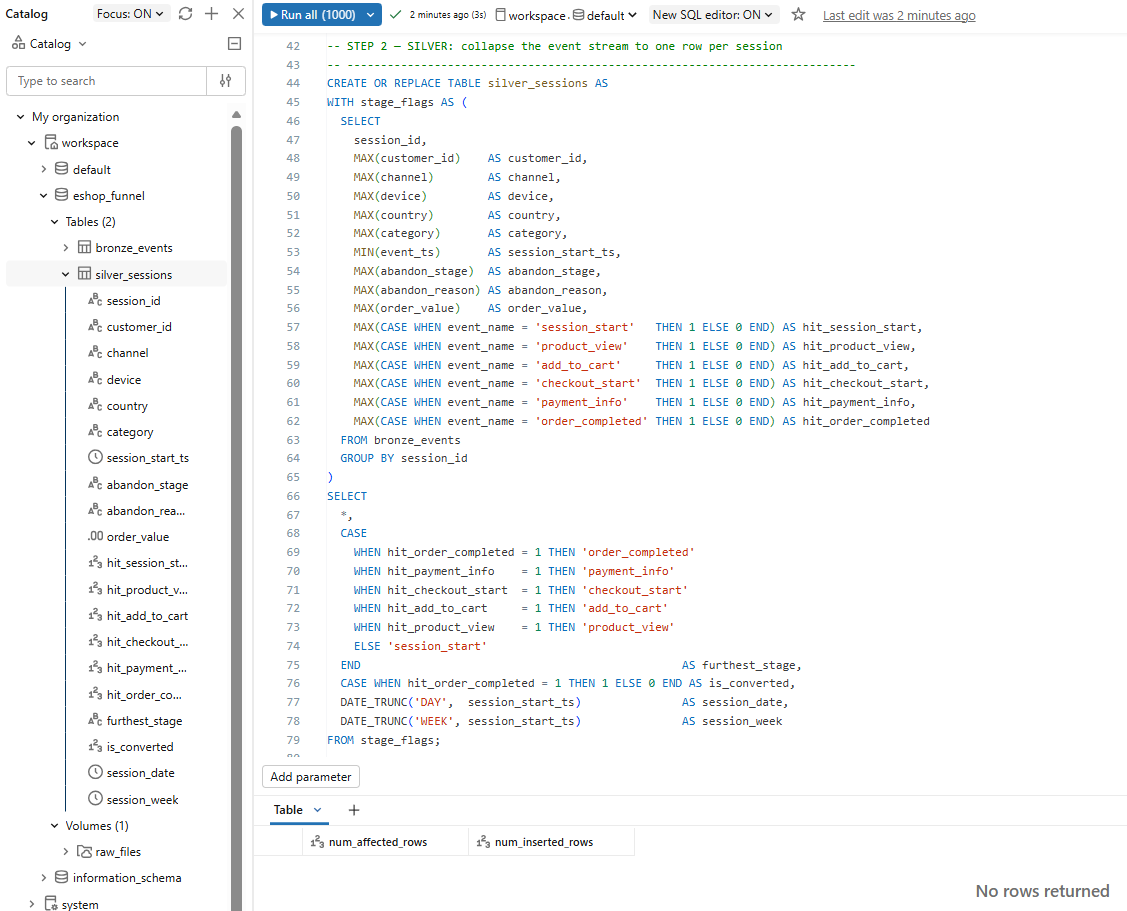
The Silver query flattens many event rows into one clean row per session.
50,000 analysis-ready sessions, each with stage flags and an is_converted marker.
Gold — business-ready tables
Four focused tables, each answering one question:
| Gold table | Question it answers |
|---|---|
| gold_funnel_overall | How many reach each stage, and where do they leak? |
| gold_abandon_reasons | Why do customers abandon, and at which stage? |
| gold_funnel_by_channel | Which channels convert best? |
| gold_daily_conversion | How does conversion move over time? |
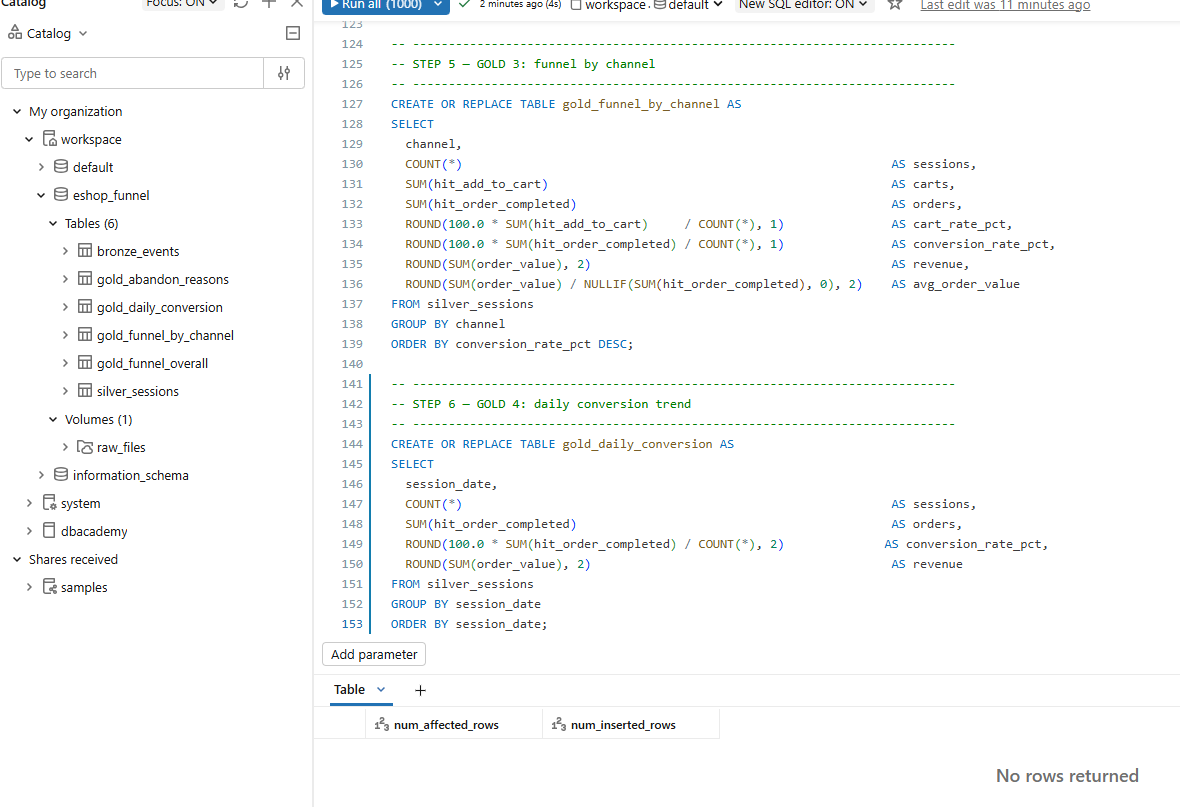
All four Gold tables complete the Medallion stack.
Debugging with Genie
To show AI-assisted debugging, I planted a runtime error: CAST(abandon_reason AS INT) on a text column. The syntax is valid, so the editor does not flag it; it only fails when the query runs against values like “Payment declined.”
CAST_INVALID_INPUT — the error surfaces only at run time, exactly as intended.
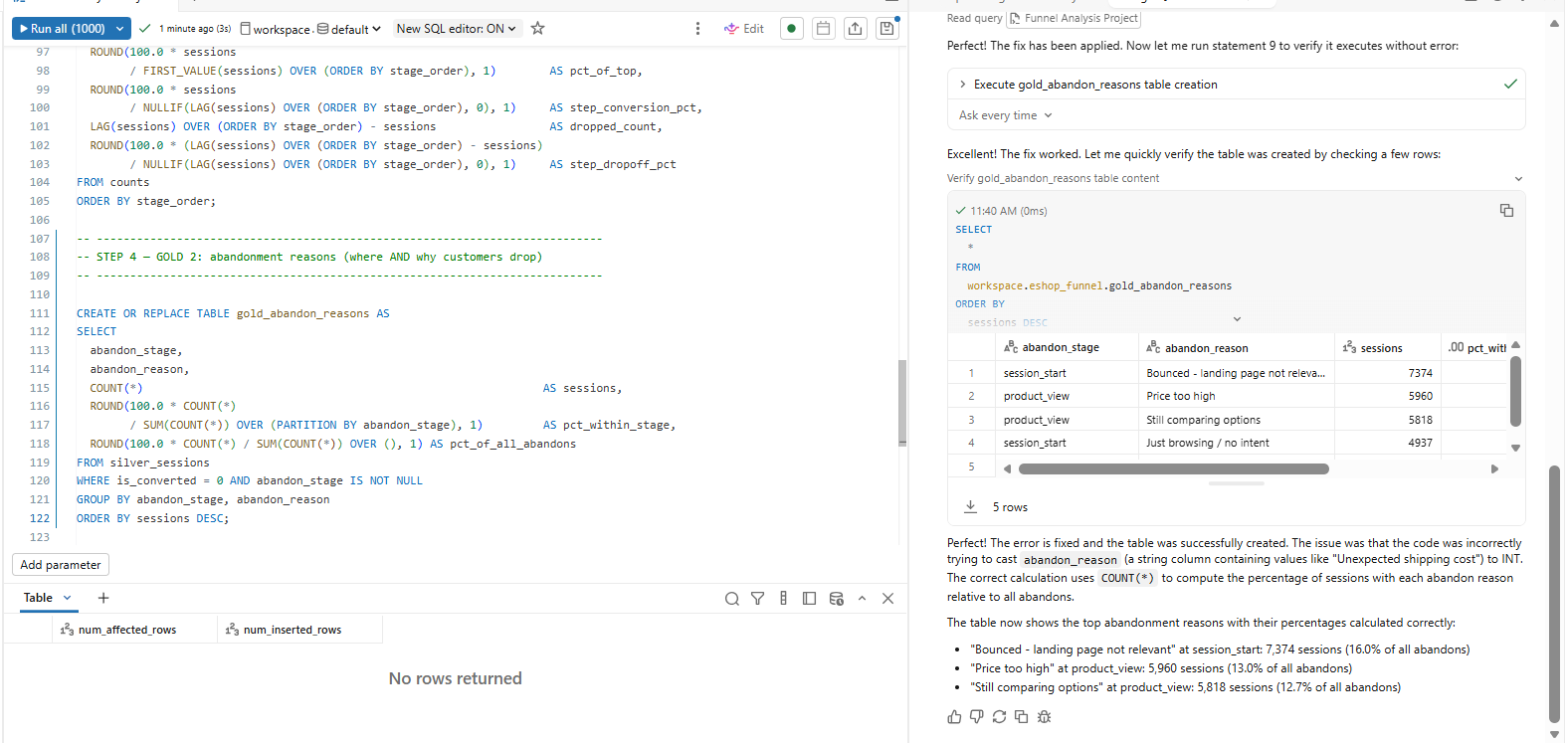
Genie samples the data, diagnoses the real intent, rewrites the query, re-runs it, and verifies the table.
It did not just patch syntax — it inspected the data, fixed the logic, and self-verified the output.
The AI/BI dashboard
With Gold in place, the analysis sits on two pages: Funnel Overview, and Segments & Trends. Each widget was built by describing it to Genie in plain language.
Headline KPIs
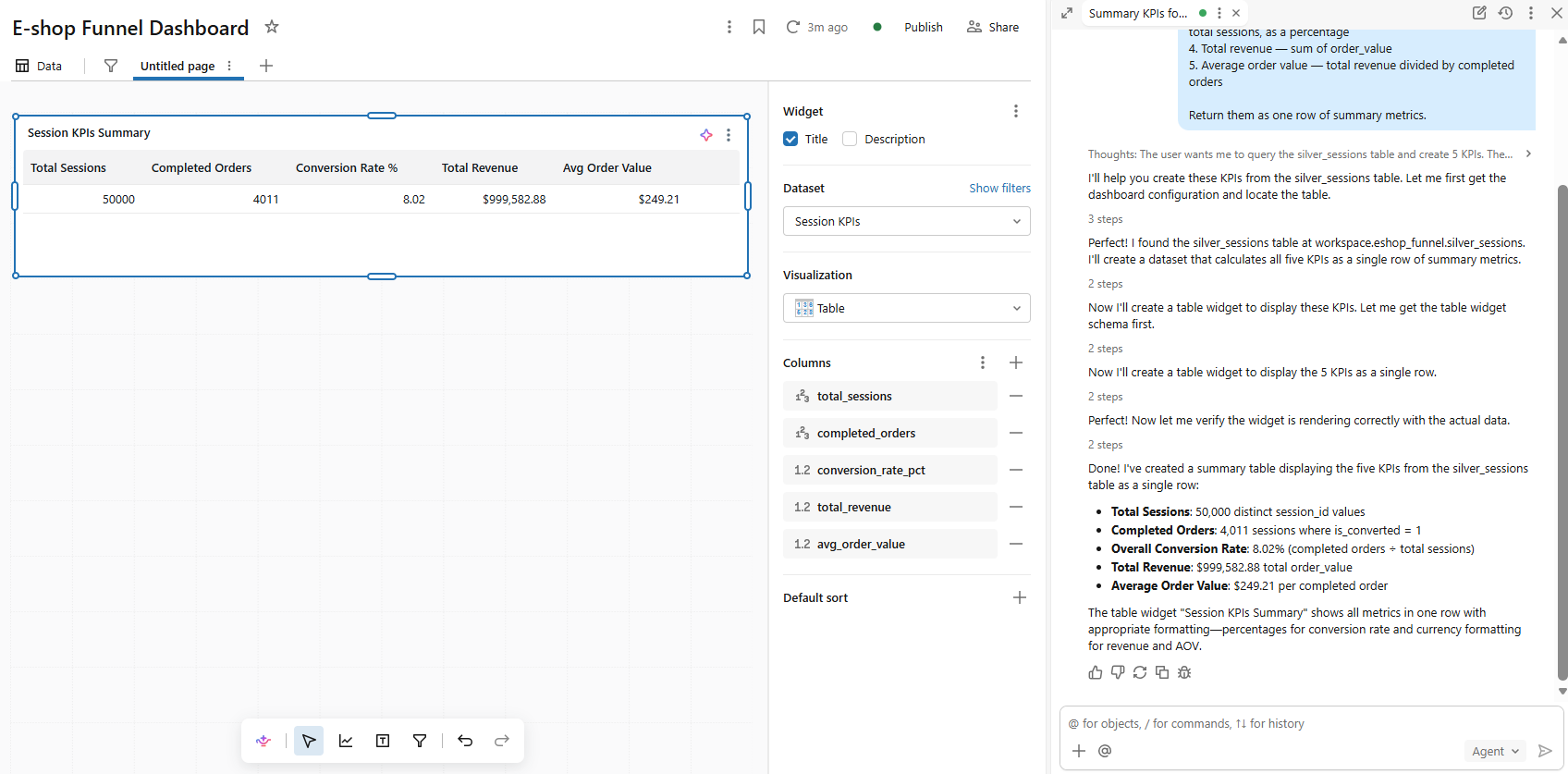
Five KPIs in one row, built and verified by Genie from silver_sessions.
50,000 sessions · 4,011 orders · 8.02% conversion · $999,582.88 revenue · $249.21 AOV.
The purchase funnel
Each label is the drop-off into that stage. The 58.3% on Add to Cart means 58.3% of product-viewers never added to cart. The first render sorted stages alphabetically; a stage_sorted prefix (1_session_start, 2_product_view…) forced the chart into journey order.
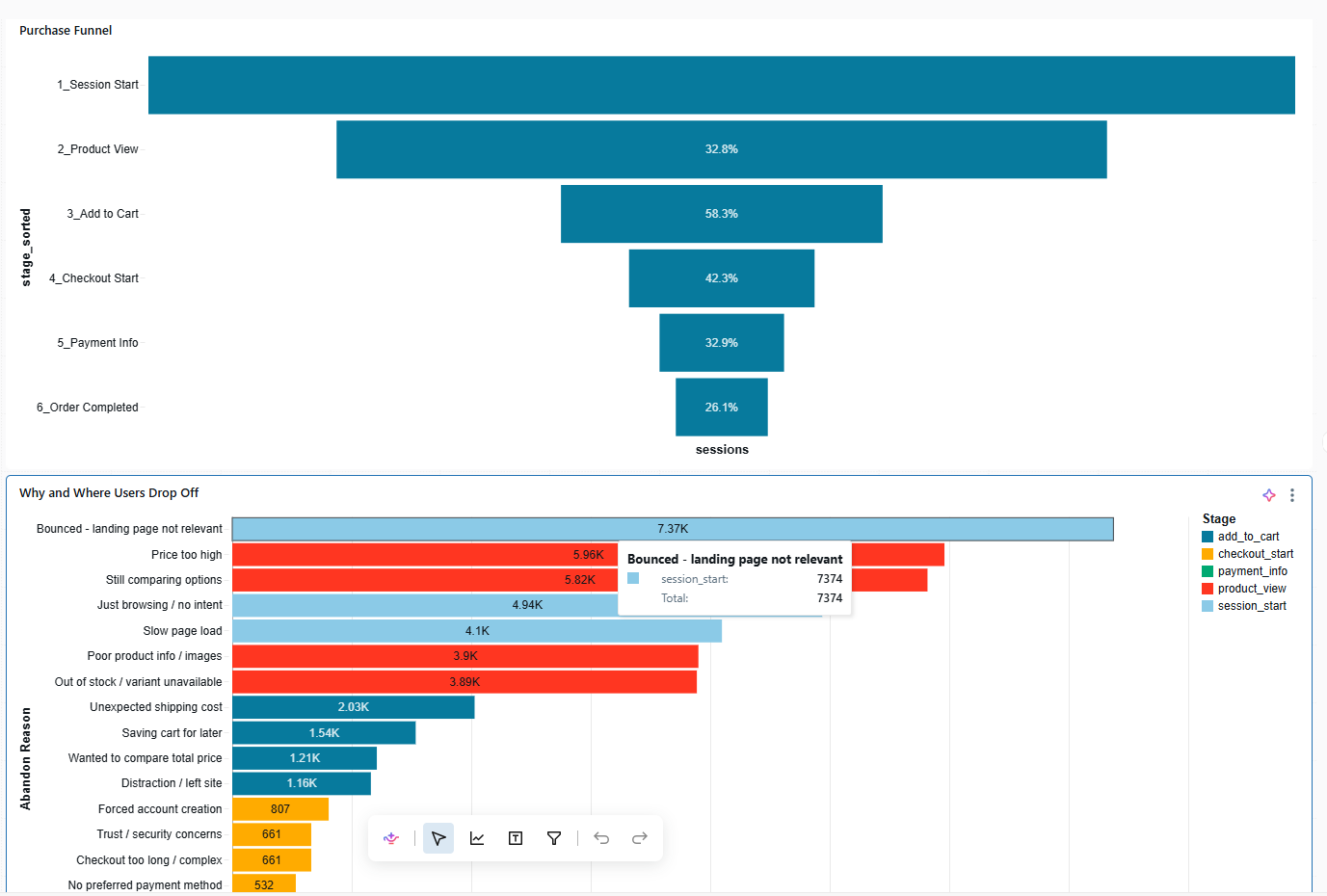
After the prefix fix — the funnel reads correctly from Session Start to Order Completed.
Biggest leak: Product View → Add to Cart (58.3%).
Where and why shoppers drop
Most funnel analyses stop at the counts. This one shows the reason behind every abandonment, coloured by the stage it happened at.
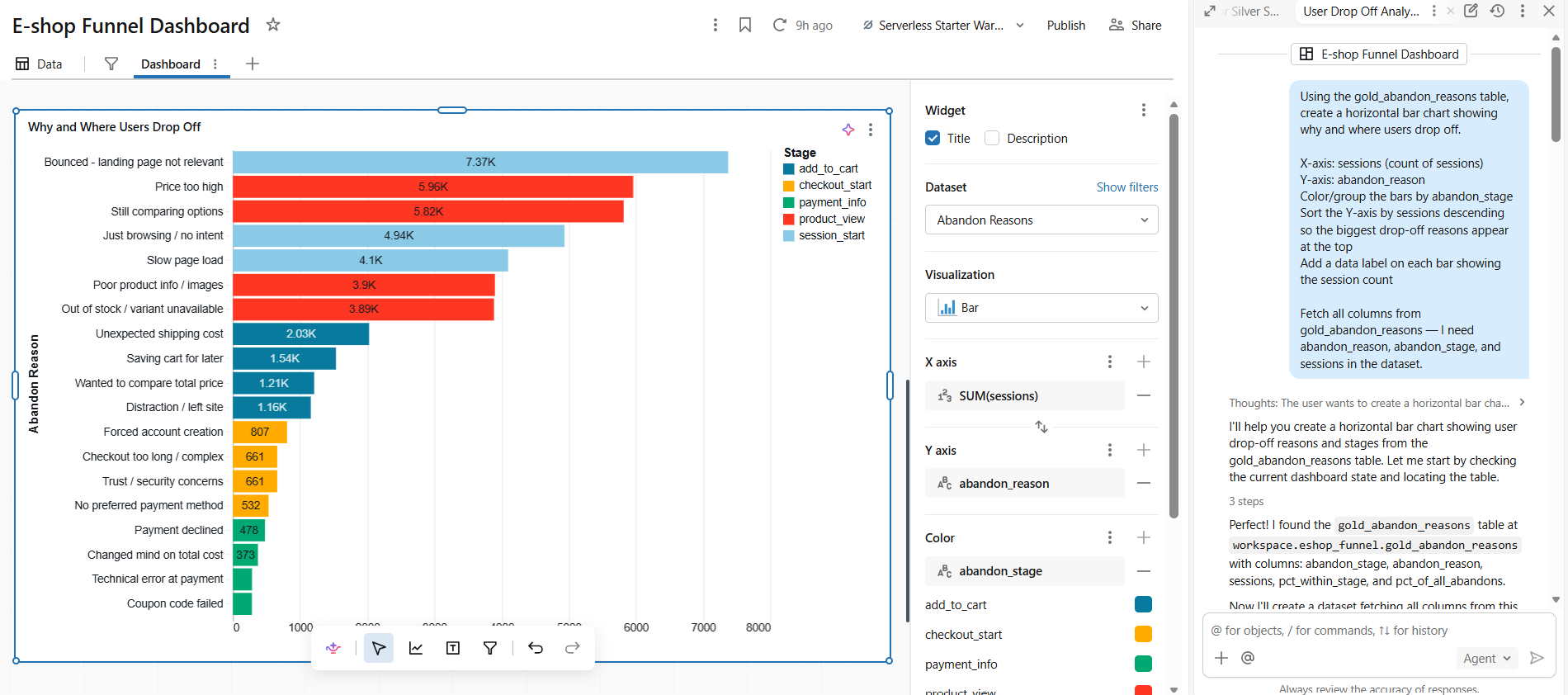
Abandonment reasons, ranked and coloured by stage. Losses concentrate early — landing-page bounces and product-stage friction dwarf later checkout issues.
Channel, time, and filters
A first channel chart plotted conversion (~8%) and AOV (~$250) on the same axis, crushing conversion into an invisible sliver. The honest fix: split metrics that do not share a scale.
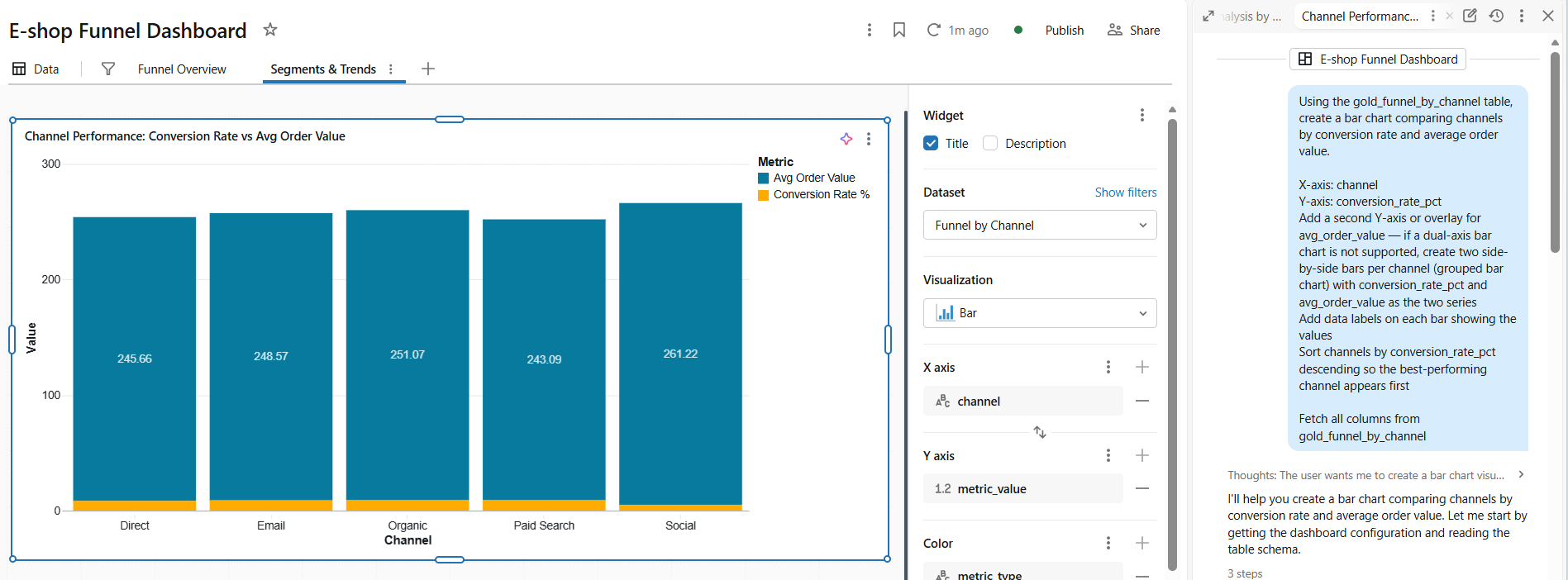
The scale mismatch — conversion rate is the thin band at the base.
Paid Search and Organic lead conversion at 8.9%; AOV sits in a tight band across channels.
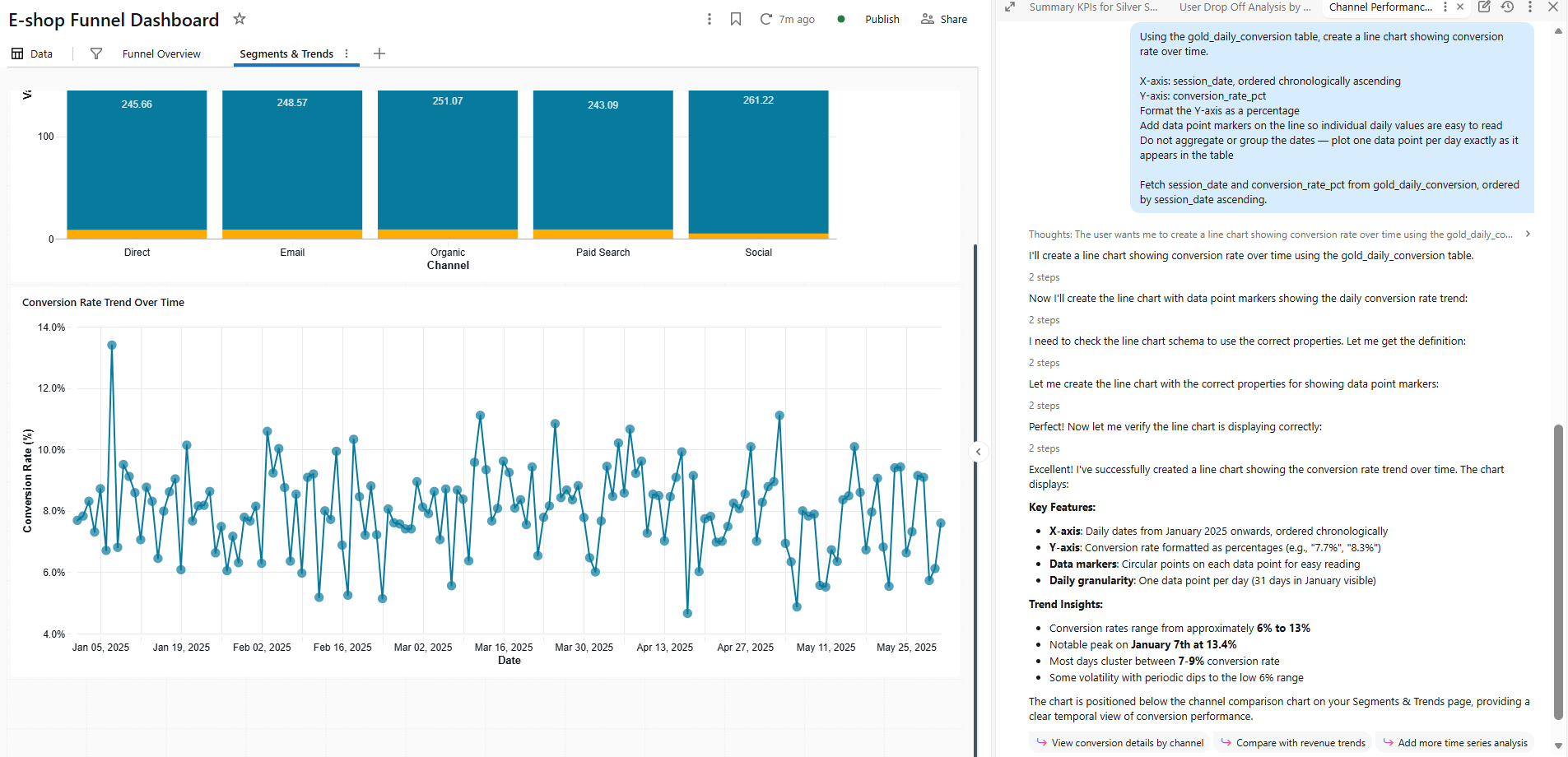
Daily conversion over five months — mostly 6–9%, with an early-January spike.
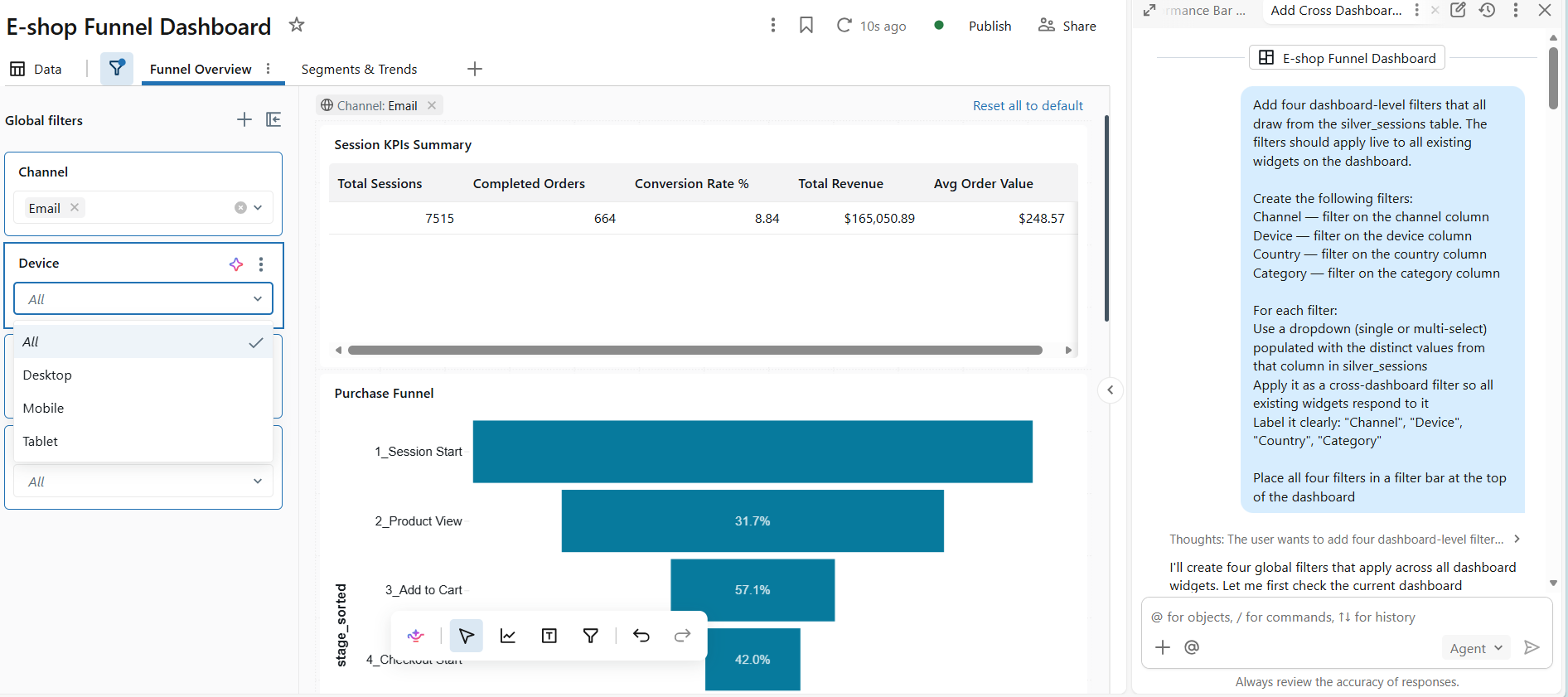
Four global filters (Channel, Device, Country, Category) recast every widget. Channel = Email: 7,515 sessions, 8.84%.
Genie — plain-English analytics
A Genie space lets anyone query Silver and Gold in ordinary language. Reliability comes from context up front: a reusable conversion_rate measure, synonyms, and the funnel stage order.

“What is our overall conversion rate?” → 8.02%, matching the dashboard.
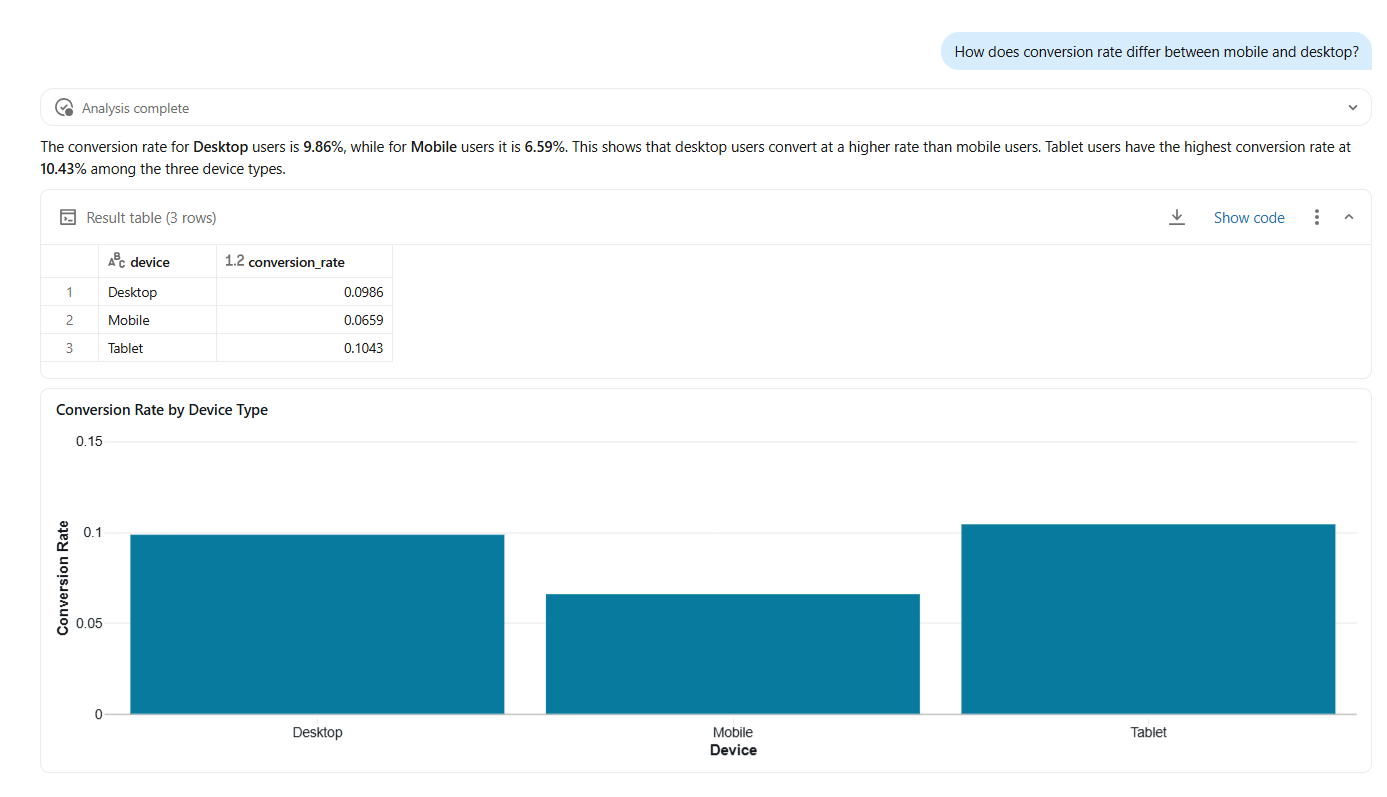
Conversion by device — Desktop 9.86% and Tablet 10.43% beat Mobile 6.59%.
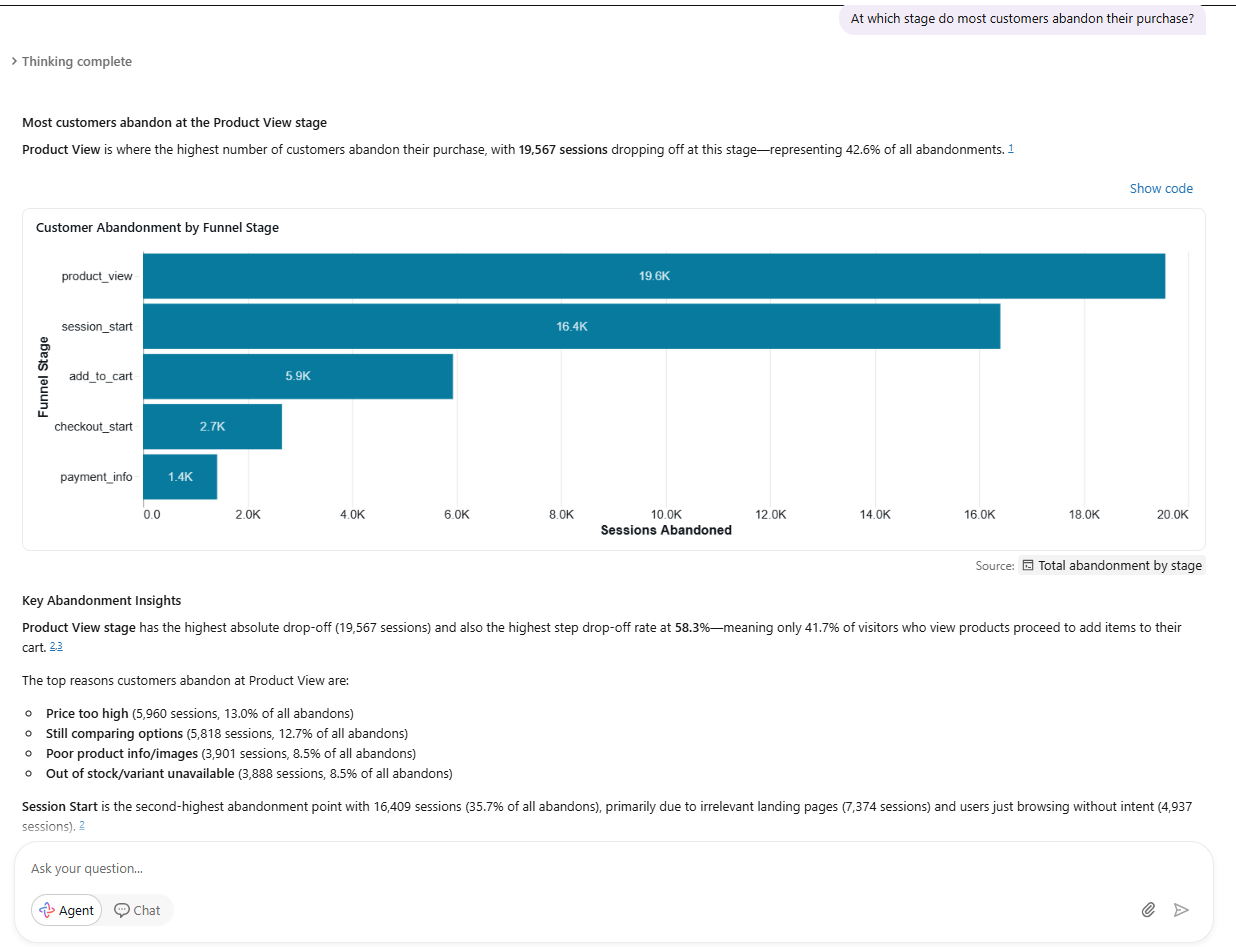
Agent mode investigates where customers abandon — multi-step, with chart and ranked insights. Chat gives the fast number; Agent turns an open question into an evidenced report.
What the analysis revealed
- 8.02% overall conversion — 4,011 of 50,000 sessions, $999,582.88 revenue, $249.21 AOV.
- Biggest leak: Product View → Add to Cart (58.3%), the single largest funnel drop.
- Early-funnel friction dominates. Bounces and product-page hesitation outweigh checkout issues.
- Mobile underperforms: 6.59% vs 9.86% on desktop.
- Paid Search and Organic convert best, both 8.9%.
- Fashion is a cart magnet that does not close — most add-to-carts (2,455), fewest orders (722).
Fix the early funnel first. The product page loses the most shoppers, and the reasons — price, comparison, weak product info — are concrete.